Miniso UK – Building Surprise Bags
Guide to creating Surprise Bags and adjusting stock accurately.
Overview
This guide will walk you through the process of creating surprise bags using the Stock Adjustment feature to ensure accurate inventory. Follow each step carefully and refer to images for guidance.
Extra Large Bags:£39.99: (value £50-53)
Large Bags: £19.99 (value £30–£32)
Xtra Large Bags: £24.99 (value £35–£37)
Our Surprise bags are a key business tool, serving several vital functions:
- Our Primary Clearance Mechanism: They provide a consistent, high-sell-through method for clearing slow-moving and discontinued items, beyond traditional sales.
- Driving Newness: They create essential space in our stores to introduce new products for our customers.
- Substantial Revenue Driver: They consistently contribute 6-7% of our total sales mix
The following are a few of the main challenges that we have seen previously which has driven us to review the process and put more prescriptive steps in place to govern the process better.
- Products not written off correctly – Impacts margin calculation & store stock file is inaccurate.
- Stock file inaccurate for the Surprise Bag skus – Leads to inaccurate margin calculations
- Customer complaints related to inconsistent bag contents – Leads to disappointed customers/ potential trading standards actions if bags do not meet the required criteria.
Creating the surprise bag
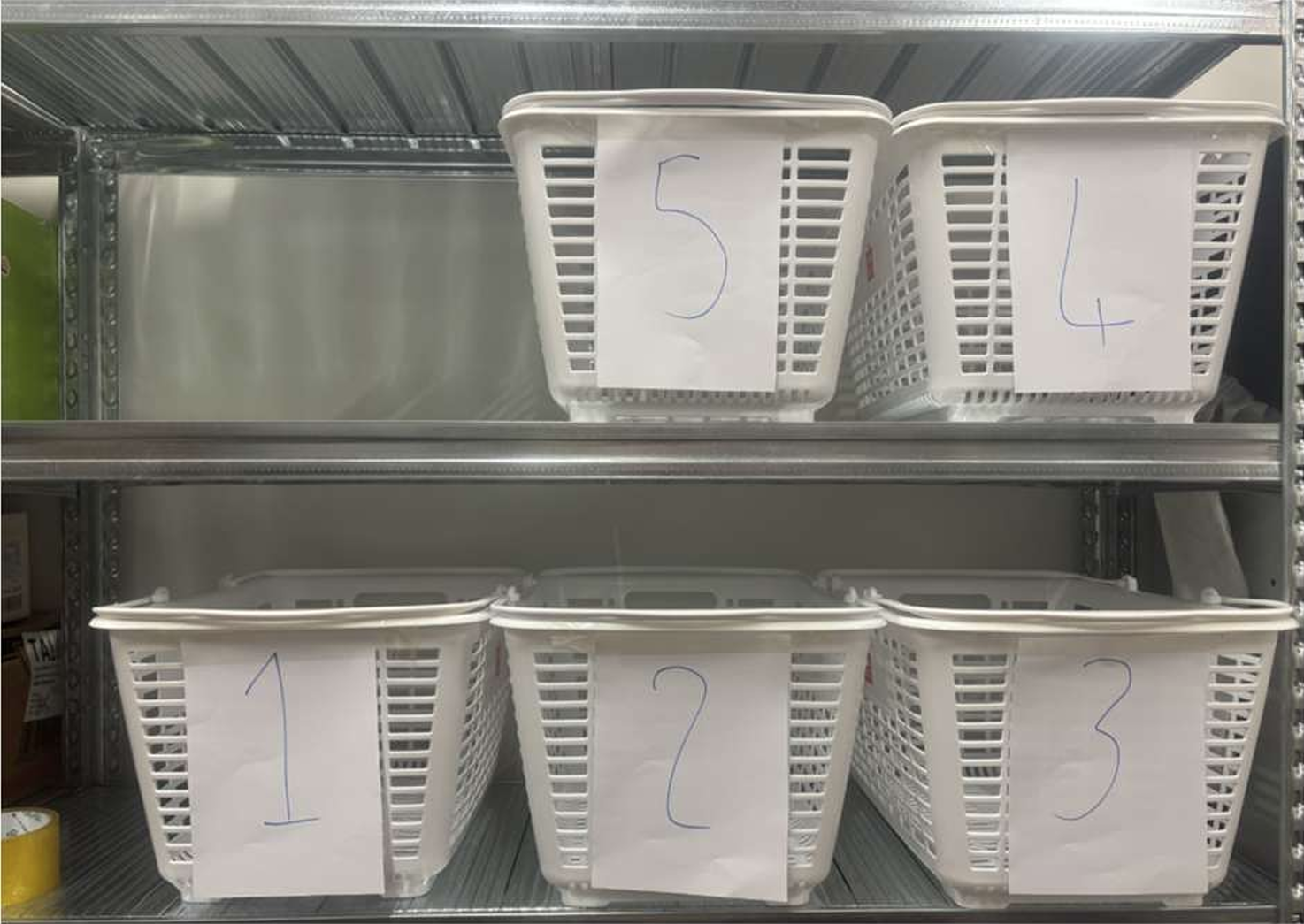
Setting up your buckets following the sku list sent from head office, making sure each basket contains the correct stock.
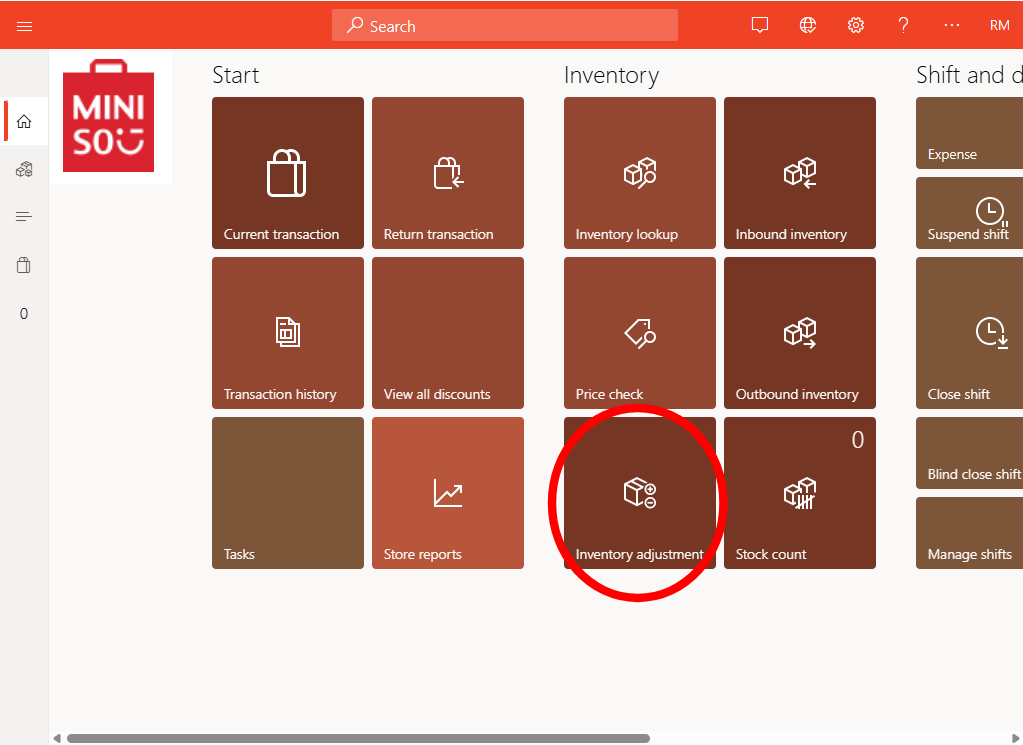
From the home screen select Inventory adjustments.
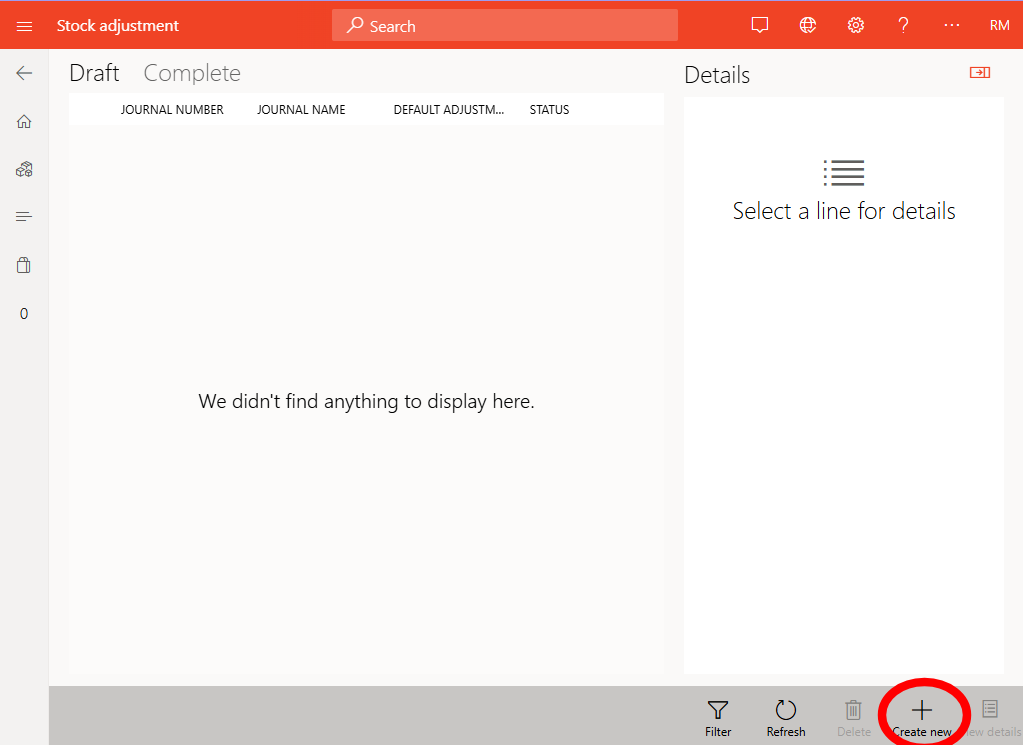
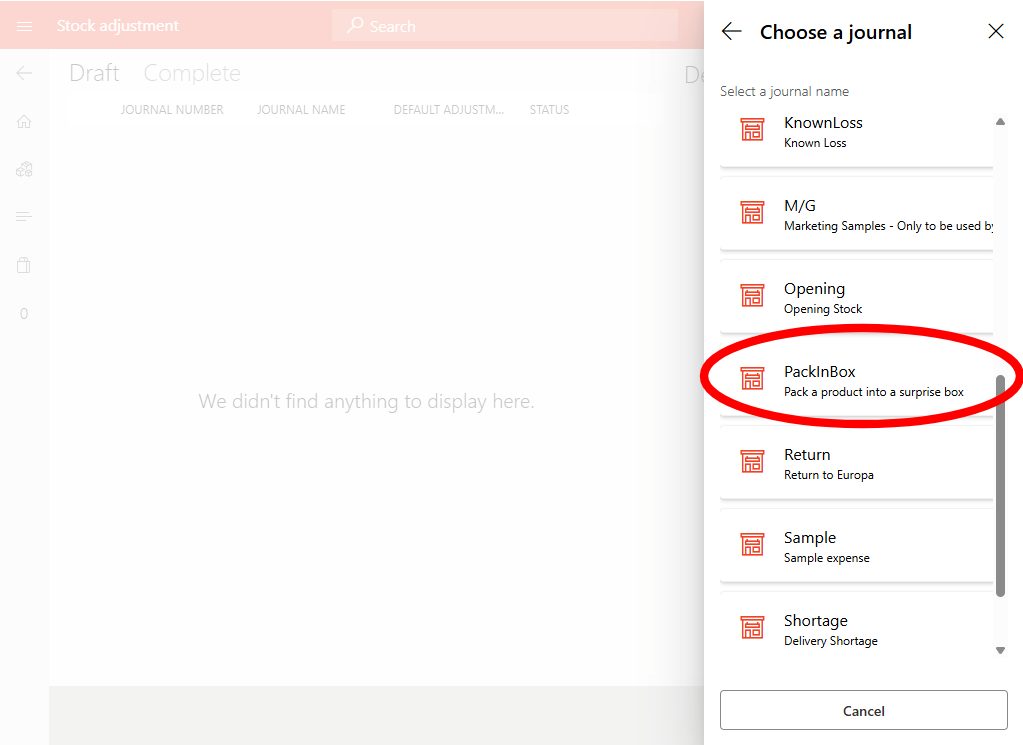
From the journal list, select PackinBox – used for items being packed into surprise bags.
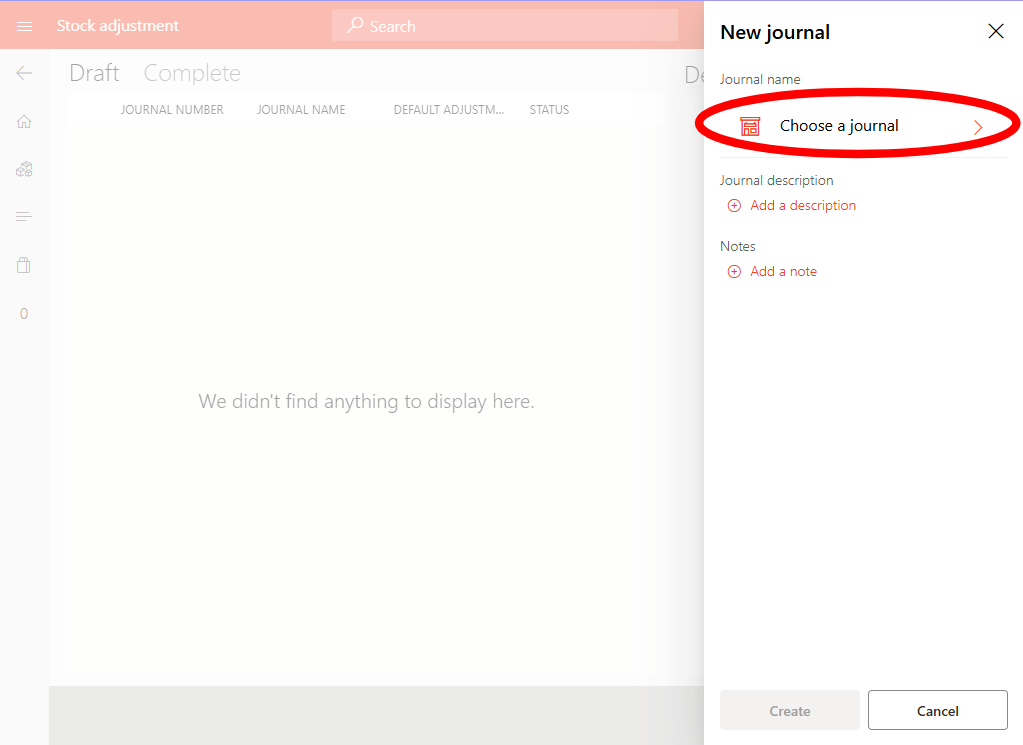
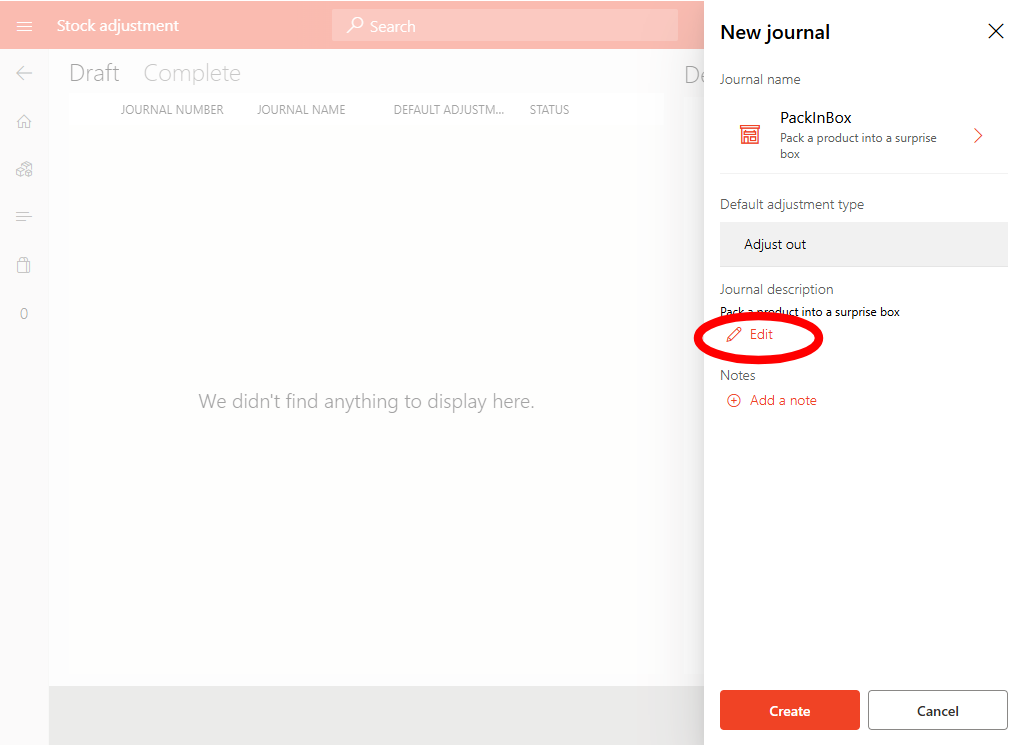
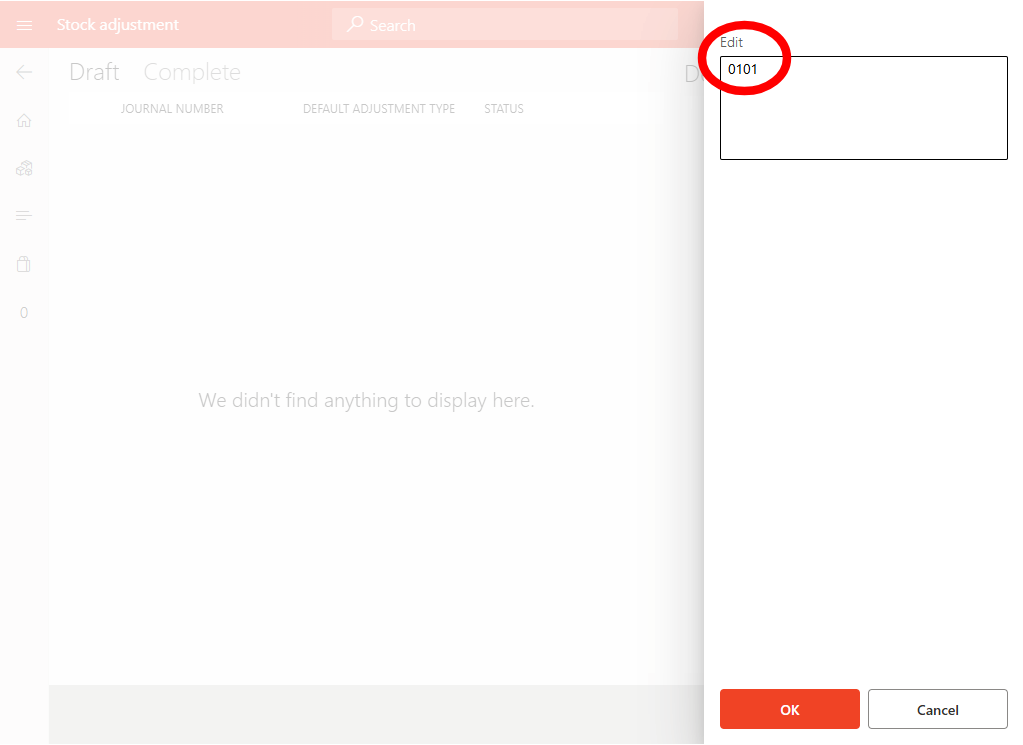
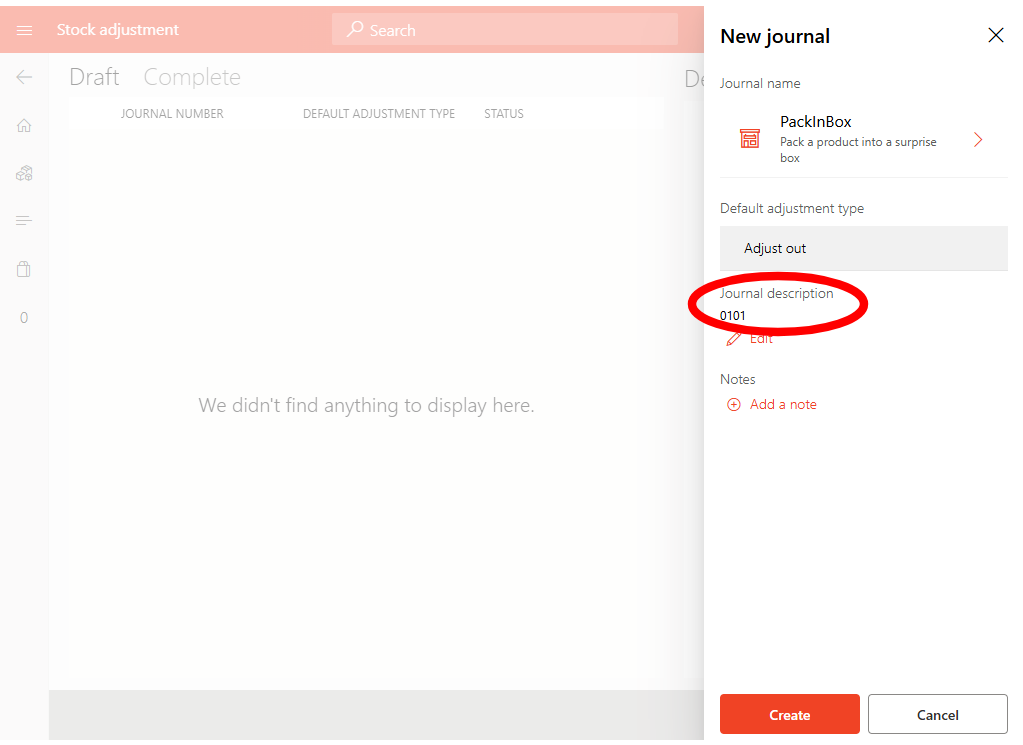
Change the journal Description to the bag number (E.g 0101).
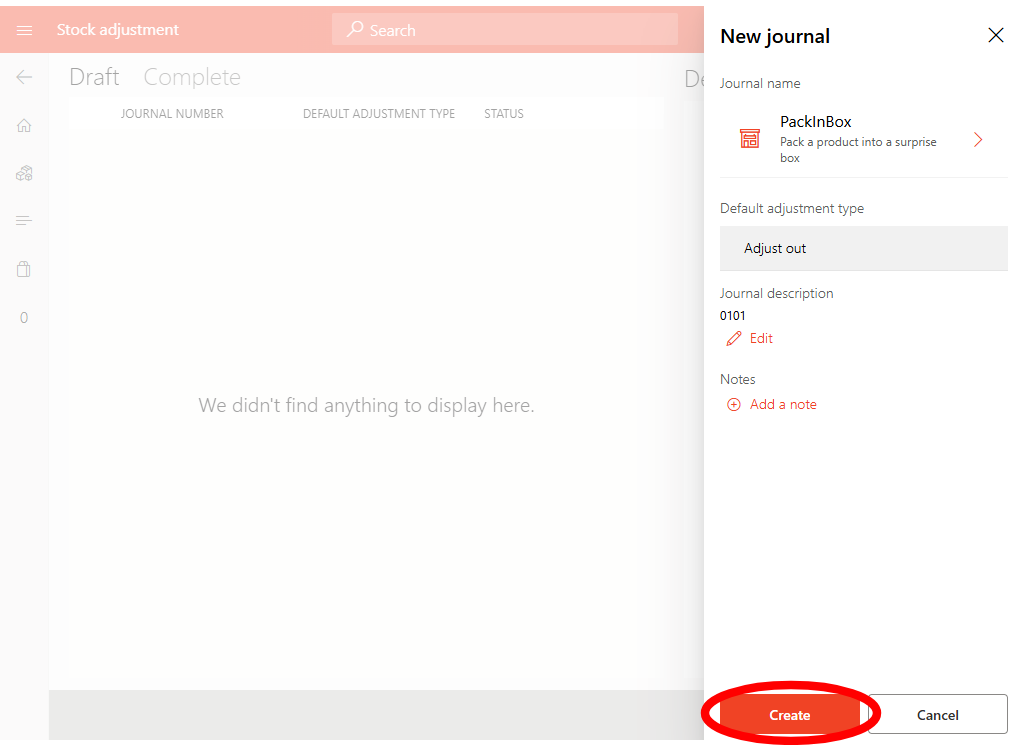
Take 1 item out of the bucket and scan it in, then place into the bag
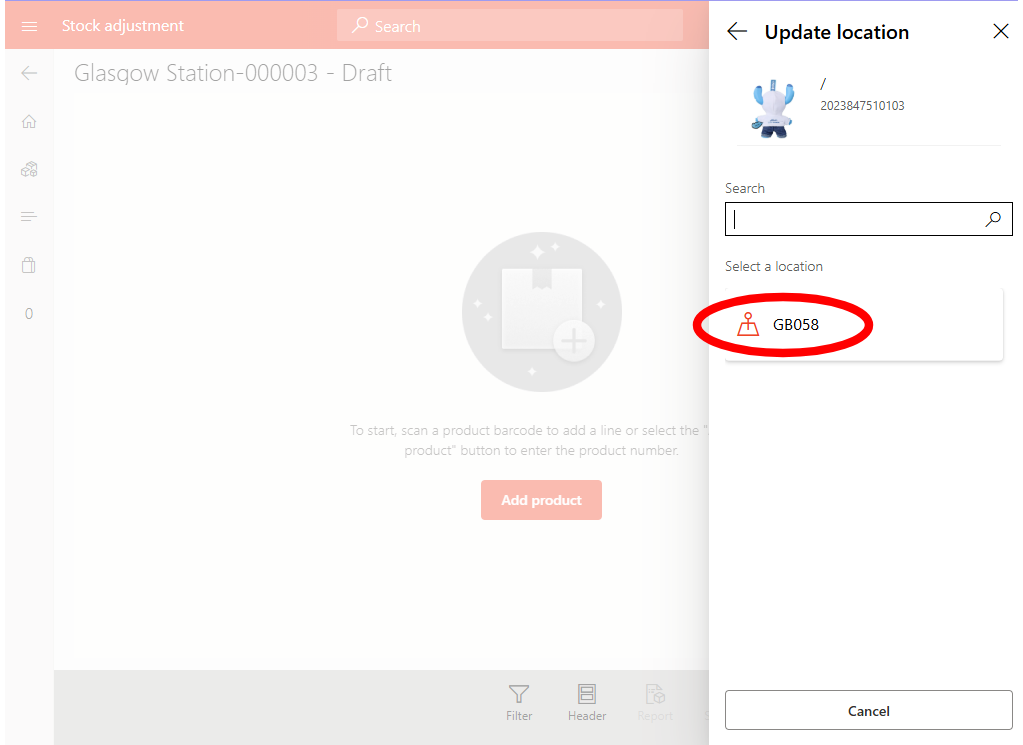
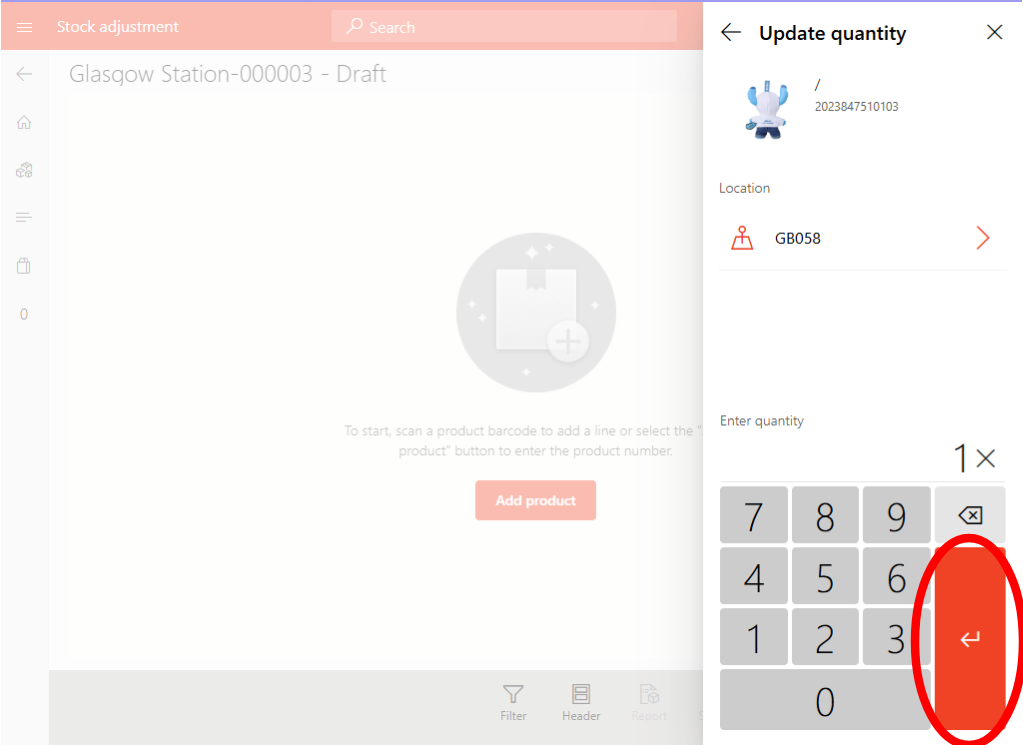
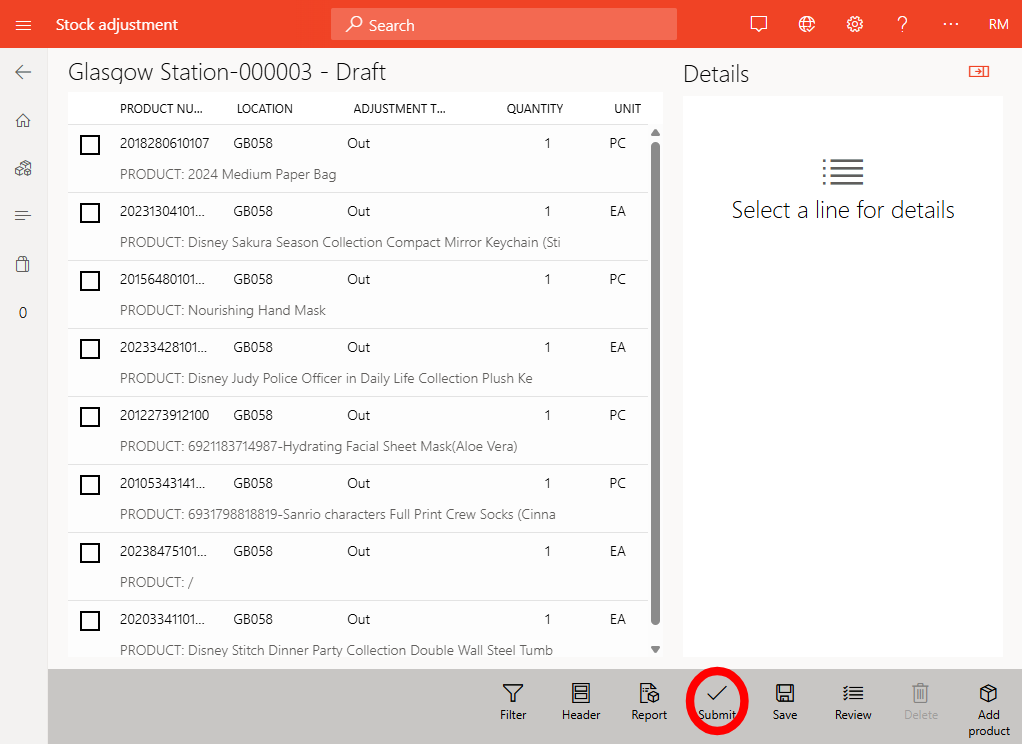
Repeat steps 5 for each bucket, ensuring you only use each bucket once.
Once all products are added, tap Submit to finalise the journal. This removes items from regular stock and records them as used in surprise bags.
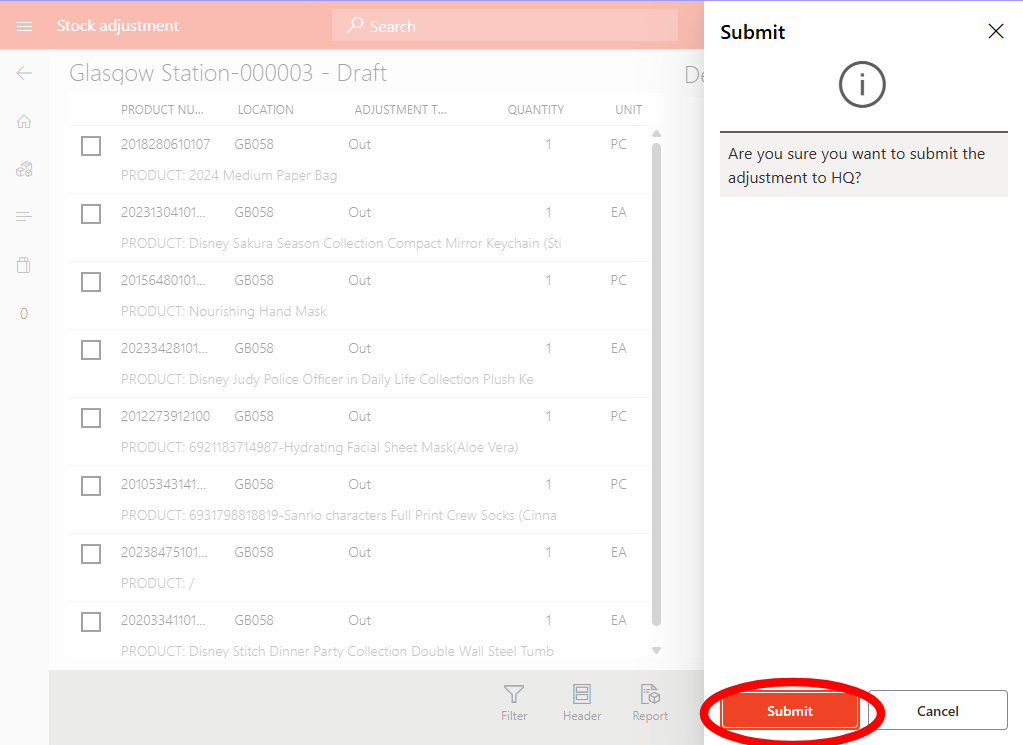
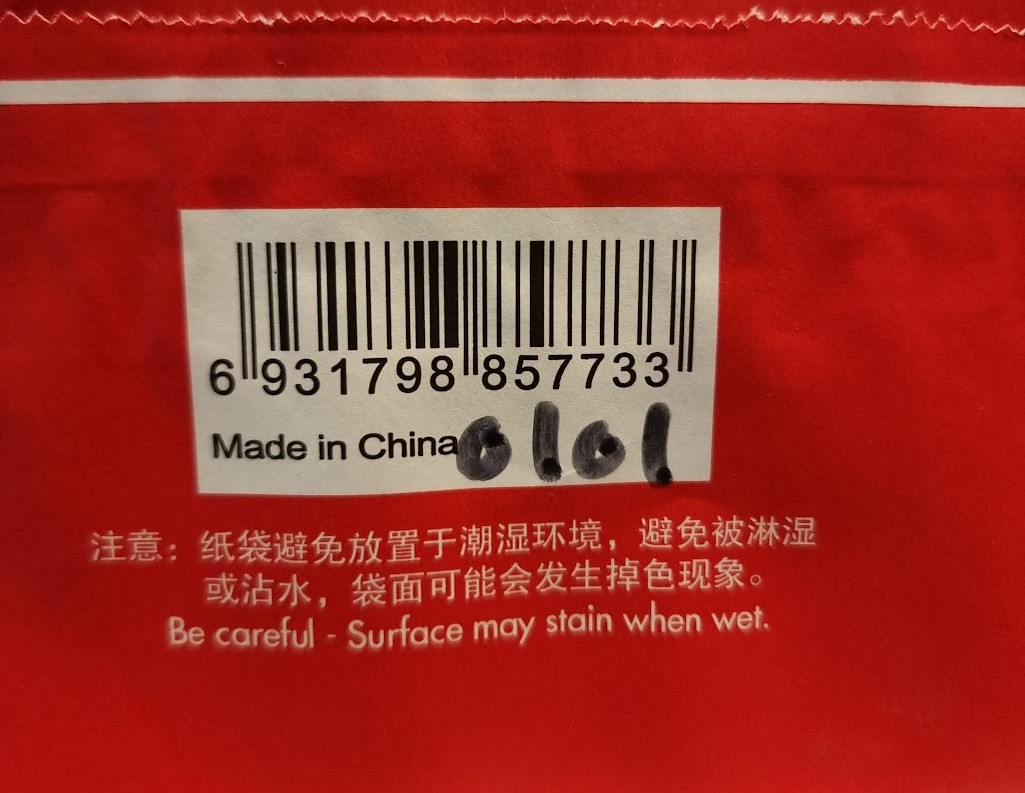
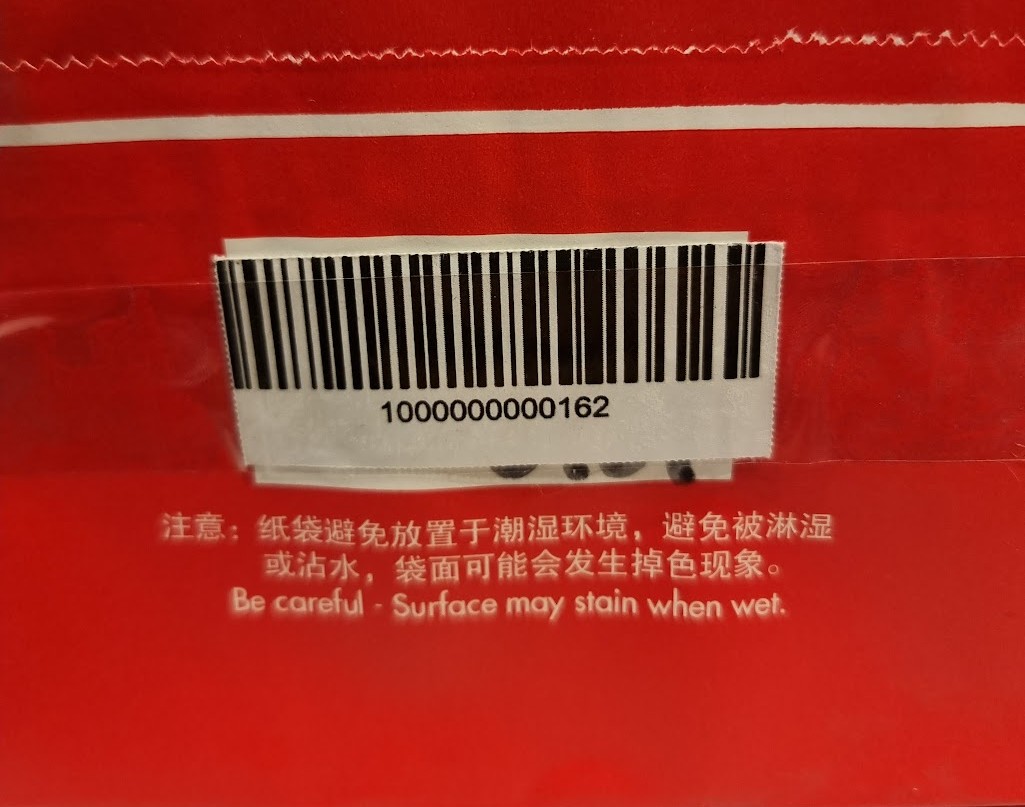
Write the bag number on the bottom of the surprise bag, and then tape over the bag barcode with the surprise bag barcode. (This prevents any bags from being sold at 40p)
Note: Print barcodes off on price paper to speed up the process, avoids spending time cutting up barcodes.
Adding surprise bags onto stockfile
Go to inventory adjustments and create a new journal this time using UnpackBox
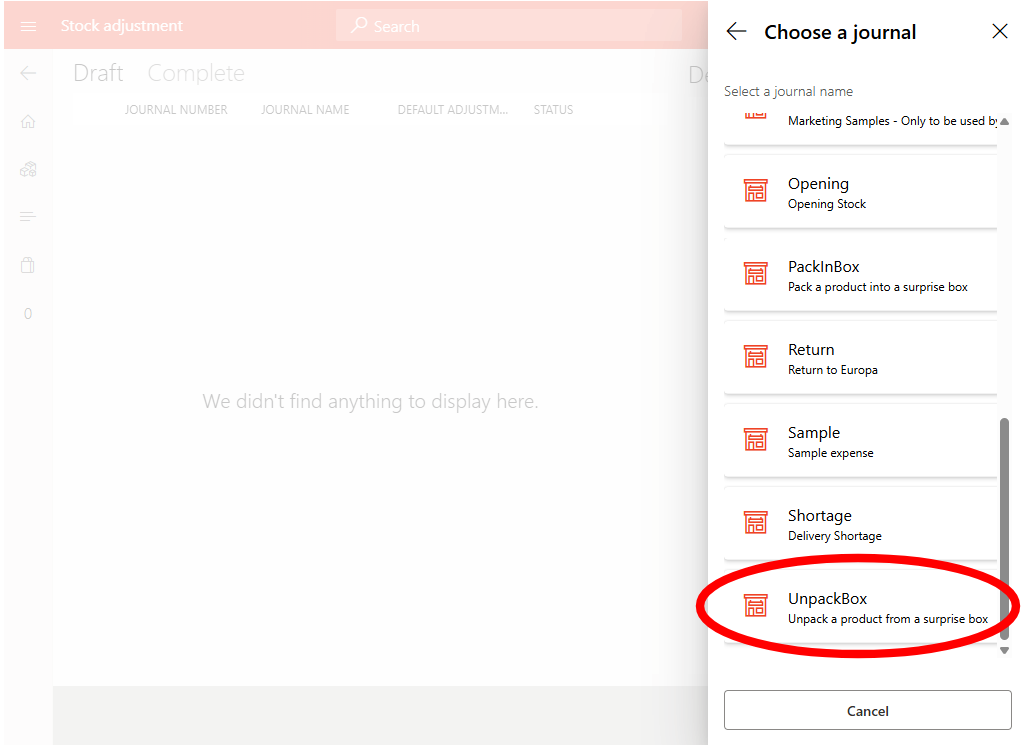
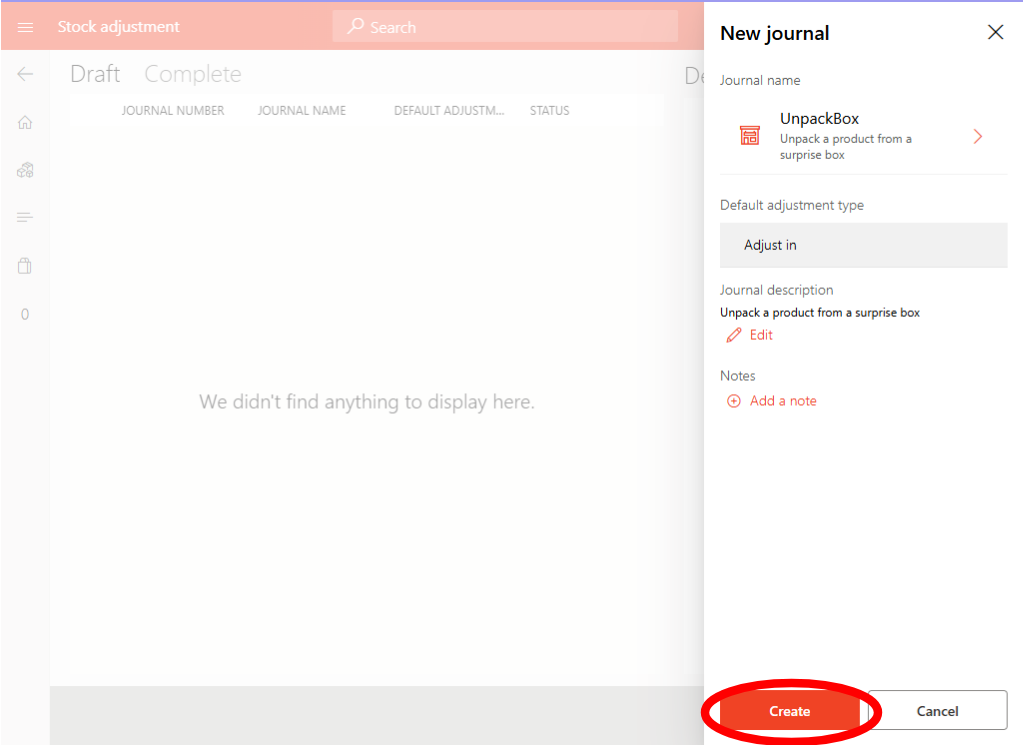
Count all the bags just made and scan the surprise bag barcode taped on the bottom of the bag
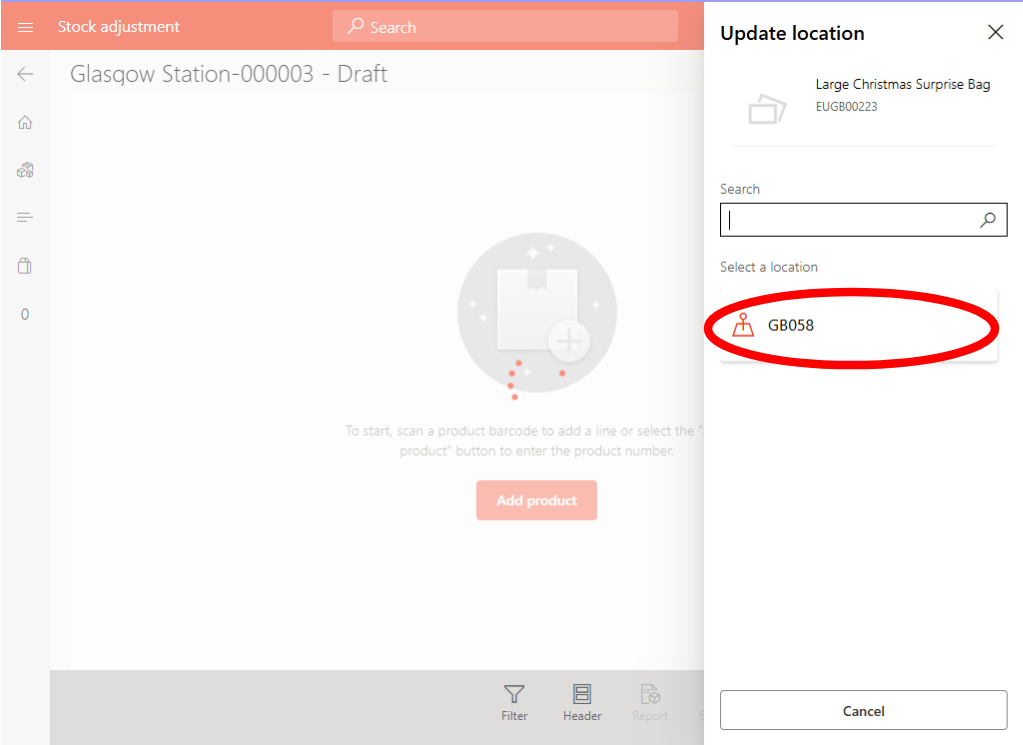
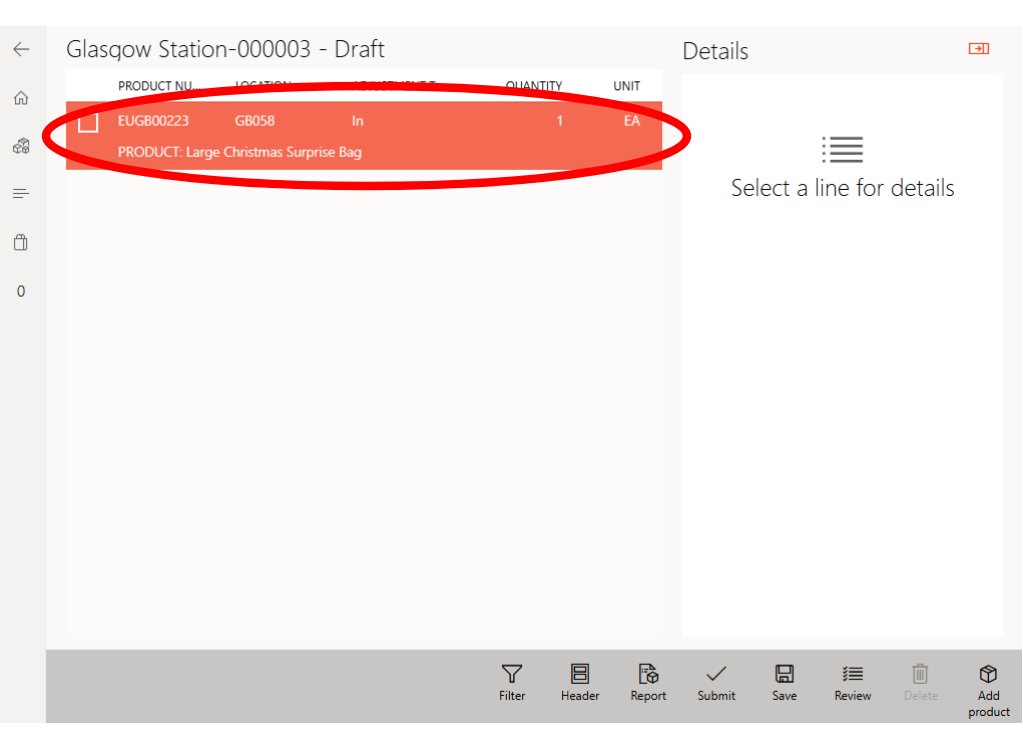
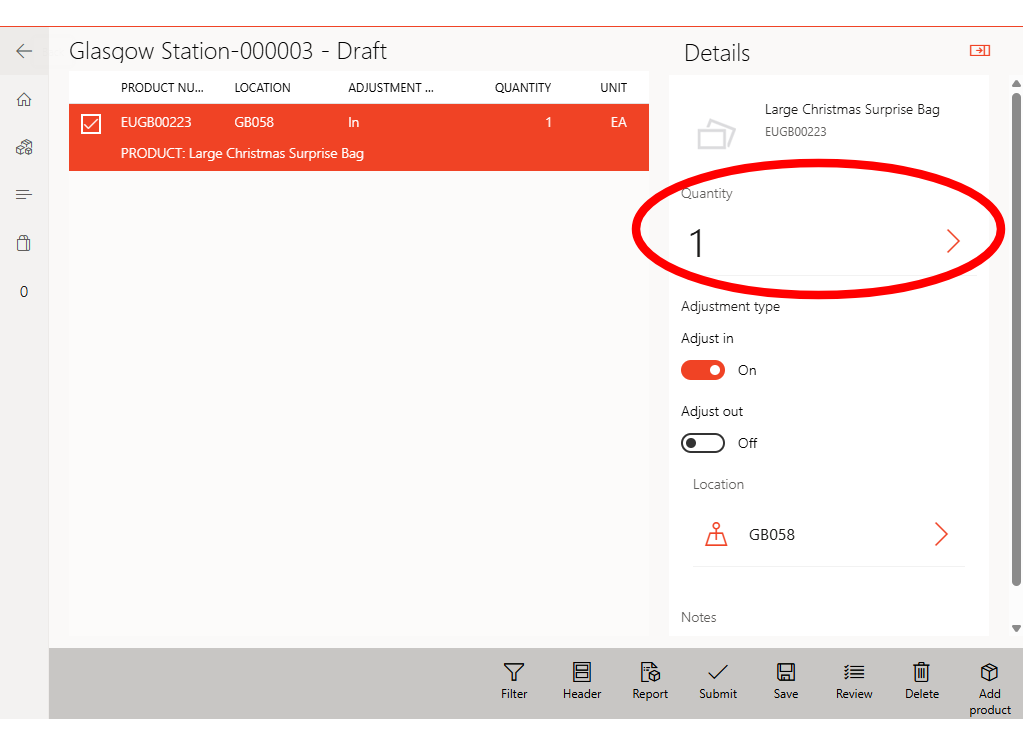
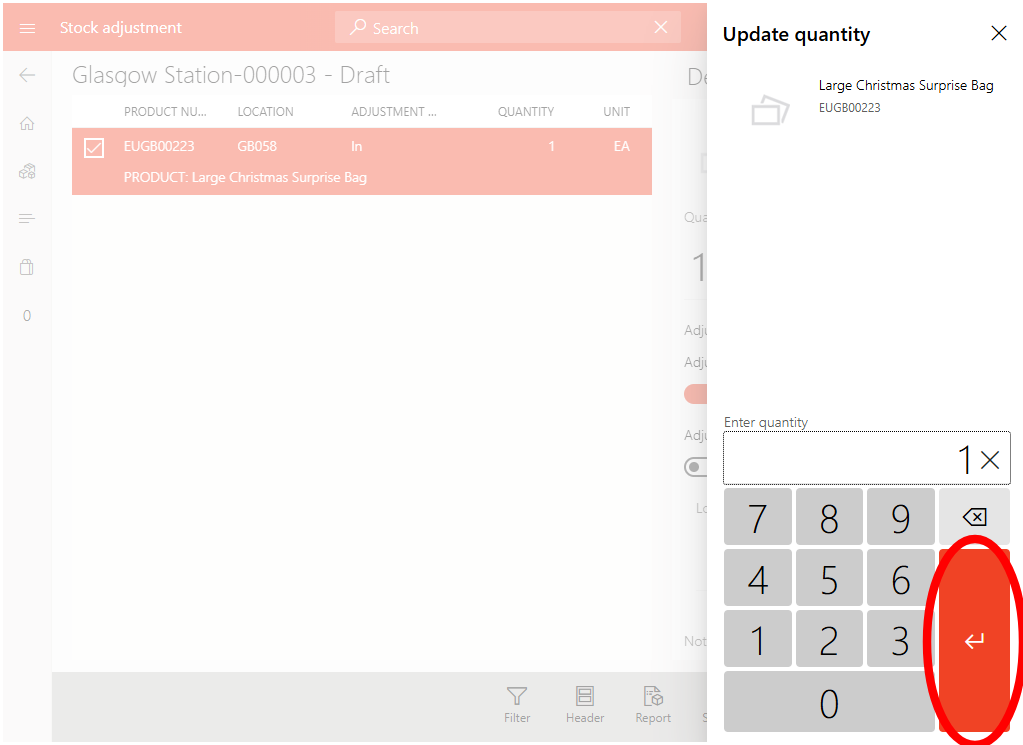
When you have completed everything submit the journal to update your stockfile
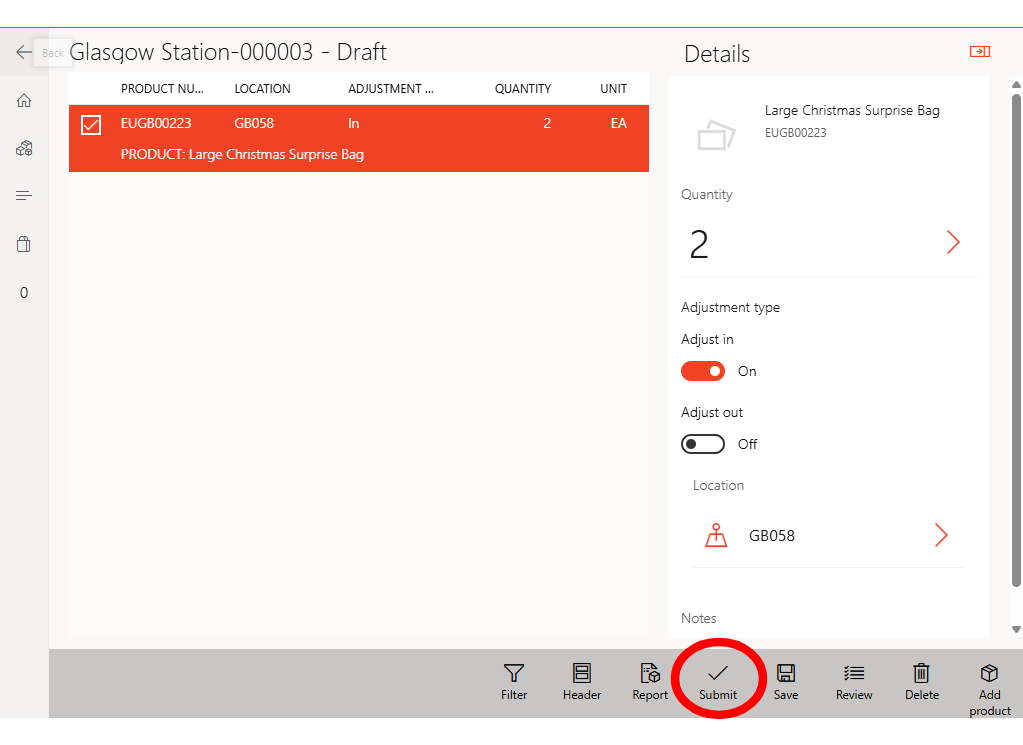
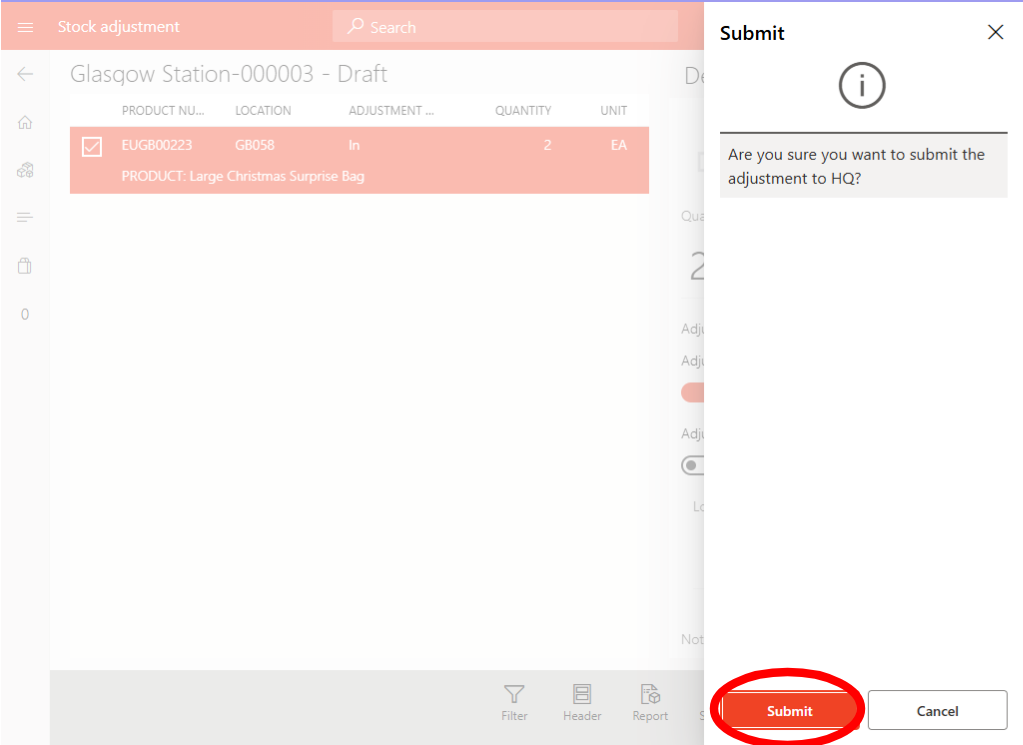
Summary
✅ Make sure buckets are numbered and filled with correct stock following the SKU list from Headoffice.
✅ Make sure to only take 1 item out of each bucket.
✅ Make sure journal discriptions are changed to the corosponding bag number.
✅ Make sure barcode is taped over with the correct barcode.
✅ Make sure bags do not have any indications to whats inside or if theyre for a specific gender or age.
✅ Try to mix up the items in the bag, ensuring a mix of IPs and gender.
✅ Surprise Bags should be created by only members of management (Supervisors,Assistant Managers & Store Managers)
✅ Any issues contact your Area Manager
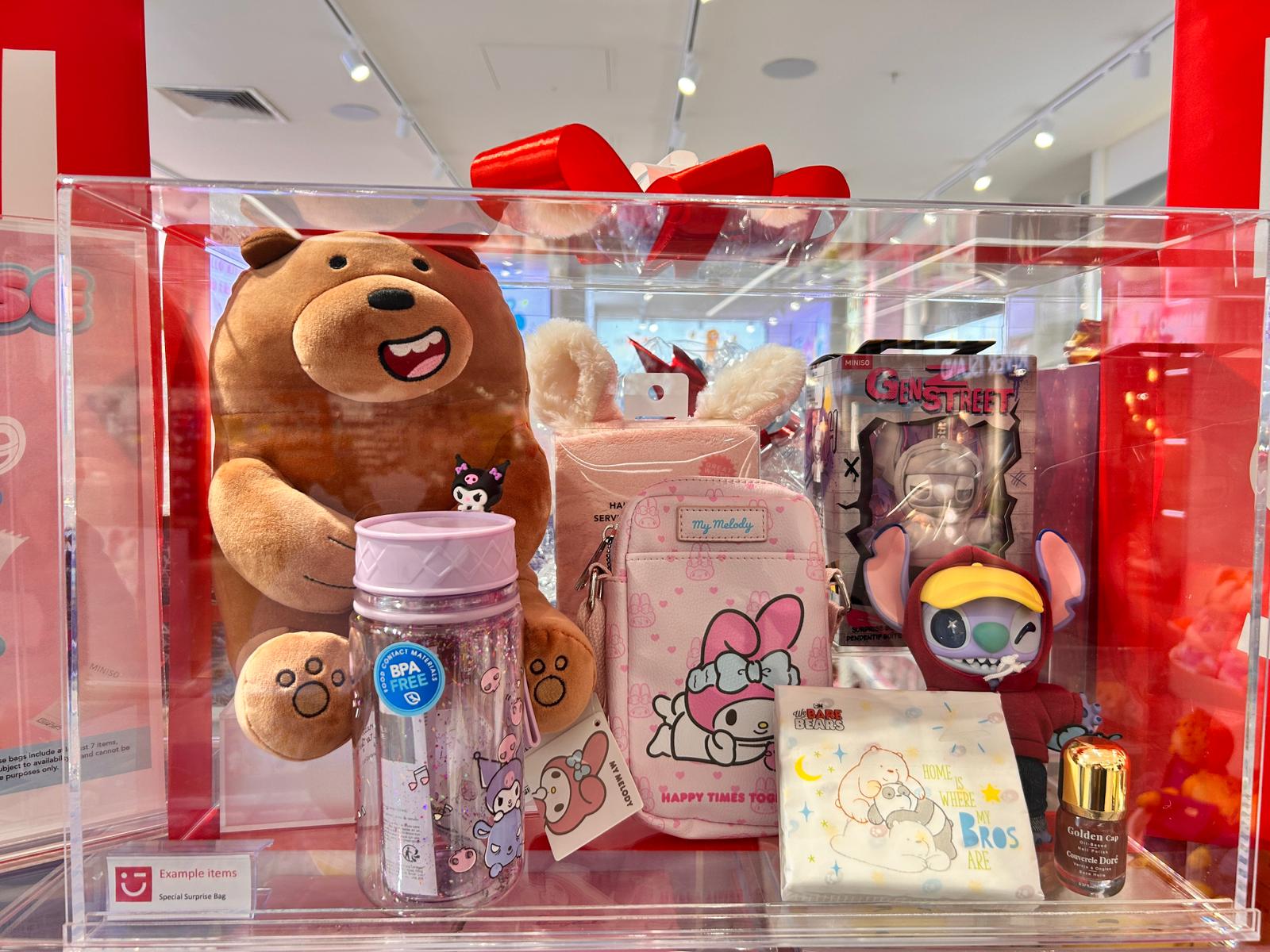
VM tip
Having a display box showing an example of what customers could get is a great way to help push bags!
Assessment
Complete the quiz below to test your understanding.